

Key Takeaways
Smart Home Communication
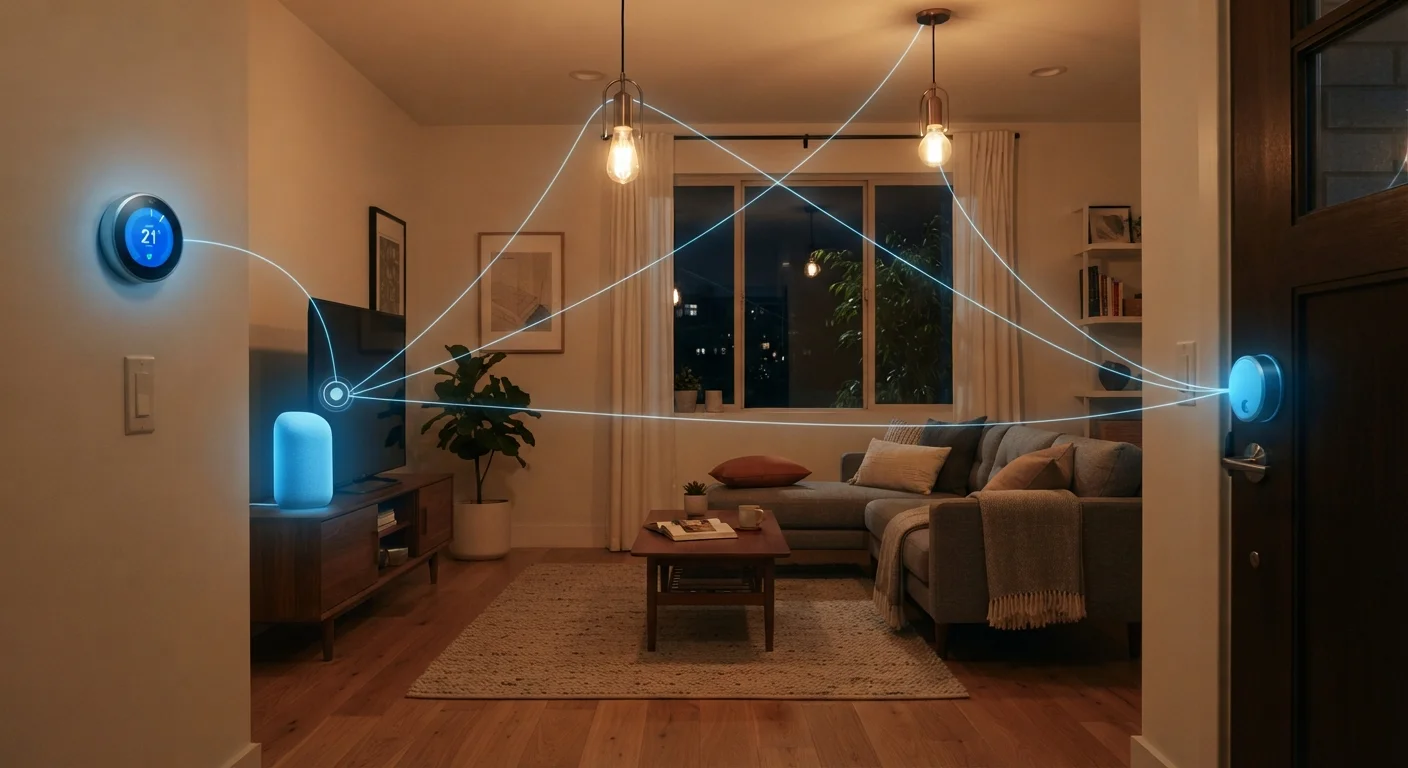
Smart home communication refers to the way connected devices in your home exchange information and commands with each other, with a central hub, or with the internet. Devices use wireless protocols - essentially shared languages - to send and receive signals. The protocol a device uses determines what other devices it can talk to and how reliably it does so.
Most protocols operate on specific radio frequencies (e.g., 2.4 GHz for Wi-Fi and Zigbee, 908 MHz for Z-Wave in the US), which affects range, interference susceptibility, and power consumption.
The Basics: How Devices Send and Receive Signals
At its core, a smart home is a network of devices that share information wirelessly. When you ask a smart speaker to dim the lights, that command travels as a radio signal from the speaker to a hub or directly to the light - depending on the system. Each device must speak a compatible wireless protocol for that exchange to work.
Think of protocols as languages. A device that speaks only Zigbee cannot directly receive instructions from a device broadcasting in Z-Wave, just as two people speaking different languages need an interpreter. Understanding this framework - even at a basic level - helps explain why some devices work seamlessly together while others don't cooperate at all.
For a plain-language breakdown of terminology used throughout smart home discussions, the Smart Home Glossary is a useful reference to keep nearby.
The Main Protocols: Wi-Fi, Zigbee, Z-Wave, and Matter
Four protocols dominate most American smart homes today, and each fills a different role.
- Wi-Fi is the most familiar. Smart cameras, video doorbells, and smart speakers often use Wi-Fi because it handles high-bandwidth tasks well. The trade-off is that Wi-Fi devices consume more power and can crowd a busy network.
- Zigbee is a low-power mesh protocol popular with smart bulbs, sensors, and plugs. Zigbee devices can relay signals through each other, extending coverage across larger homes. It operates on the 2.4 GHz band, which means it can experience some interference from Wi-Fi routers.
- Z-Wave operates on a sub-1 GHz frequency (908 MHz in the US), which avoids Wi-Fi interference and penetrates walls reliably. It's common in security devices and smart locks. Z-Wave limits the number of devices per network to 232, which is more than enough for most homes.
- Matter is an open standard ratified in 2022 that aims to let devices from Apple, Google, Amazon, and other ecosystems work together without friction. Matter runs over Wi-Fi and a related protocol called Thread for battery-powered devices, and it emphasizes local control rather than cloud dependency.
For a deeper side-by-side look at these protocols, see Zigbee, Z-Wave, and Wi-Fi: Which Wireless Protocol Does What?.
~300M+
Smart home devices installed in US homes
Industry analysts estimated over 300 million smart home devices were in use across US households as the category expanded through the early 2020s.
2.4 GHz
Shared frequency band for Wi-Fi and Zigbee
Both standard Wi-Fi and Zigbee operate on the 2.4 GHz radio band, which is why interference between the two protocols is a documented real-world consideration.
232
Maximum devices on a Z-Wave network
The Z-Wave specification caps each network at 232 nodes - a ceiling that exceeds the needs of virtually all residential installations.
The Role of Hubs and Your Home Network
Many smart home setups rely on a hub - a device that sits at the center of your ecosystem and translates between protocols. A hub can let a Zigbee motion sensor trigger a Z-Wave smart lock, a combination neither device could manage on its own. The Smart Home Hubs guide walks through how to decide whether one makes sense for your situation.
Underlying all of this is your home's internet infrastructure. Even devices that don't use Wi-Fi directly typically connect to a hub that does. A weak or congested Wi-Fi network can cause delays, dropped commands, and frustrating unreliability. If your smart home feels sluggish, your network is often the first place to investigate. The guide to setting up a home network covers practical steps for improving coverage and stability across every room.
Put Your Smart Hub Near Your Router
Most smart home hubs communicate with the internet through your router and with devices through Zigbee or Z-Wave radio. Placing the hub near your router strengthens both connections. For large homes, positioning the hub centrally helps its radio signals reach devices at the edges of your space more reliably.
What Can Go Wrong - and How to Avoid It
The most common frustration in smart homes is incompatibility. Buying devices without checking protocol compatibility can leave you with a collection of gadgets that each require a separate app and can't trigger each other. Before purchasing, verify that new devices share a protocol or ecosystem with what you already own - or that your hub supports bridging the gap.
Interference is another real-world issue. Zigbee and 2.4 GHz Wi-Fi occupy overlapping frequency space, so a congested Wi-Fi channel can occasionally disrupt Zigbee signals. Setting your router's 2.4 GHz band to a less crowded channel (such as channel 1, 6, or 11) often reduces friction. Z-Wave avoids this problem by design.
Finally, cloud dependency creates a hidden vulnerability. Many smart devices require their manufacturer's cloud server to function - meaning if that service goes offline or is discontinued, the device may stop working. Local-control solutions, including Matter-certified devices and some hub platforms, reduce this risk by processing commands on your home network rather than routing them through external servers.
For a broader look at the ecosystem, The Connected Home: From Wiring to Voice Control covers how all the pieces fit together. And once your devices are talking reliably, it's worth reviewing what data your connected devices are collecting - a step many homeowners overlook.